
An ecommerce website redesign is safest in two phases: first a quick interim upgrade so the store keeps selling, then the new online store with a new structure, the same URLs or correct 301 redirects, and speed measured before and after. At The Scoop Plug, mobile performance rose from 60 to 96.
- A redesign is worth it when the problems are structural: slow mobile, hard navigation, products that are hard to compare, an outdated brand image.
- The two-phase method keeps the store selling: an interim upgrade first, the new online store built in parallel.
- Keep URLs unchanged or 301-redirect them to the matching new page before launch, never all to the homepage.
- At The Scoop Plug, mobile performance rose from 60 to 96 and mobile LCP fell from 8.0 to 2.0 seconds.
- Speed shows from day one; sales and SEO need a few weeks to measure.
An ecommerce website redesign is the renewal of the look, structure and technical foundation of an online store that is already trading. The risk is that sales stop or Google rankings are lost during the switch. The safest path is two phases: first an interim upgrade, then the new online store.
That is how we worked with The Scoop Plug, a Greek online store for sports nutrition and supplements. Below you will find when a redesign is worth it, how to plan the transition and what we measured before and after.
When does an online store need a redesign?
Not every older store needs a new design. An ecommerce website redesign is worth it when the problems are structural, not a setting you can fix in a day. The most common signs:
- Slow on mobile. Google considers Largest Contentful Paint (LCP) good, meaning the time until the main content appears, when it is 2.5 seconds or less. If your store is far above that, visitors leave before they see a product.
- Hard to navigate on mobile. Small buttons, menus that make no sense, categories where customers don't know where to look.
- Products don't sell themselves. Visitors can't browse by what they want (category, brand, goal) and find it hard to compare.
- The look no longer fits the brand. The business has grown; its image has fallen behind.
- Every change is hard. Each new feature breaks something else or costs far too much.
If two or more of these apply, small fixes probably won't be enough.
Improve the current store or build a new one?
Improving your current online store is faster and low-risk, but it has a ceiling: you are working on the same structure and the same code. A full ecommerce redesign, in other words a new online store, solves the structural problems, but it takes time, and the store has to keep selling in the meantime.
| Improve the current store | New online store | |
|---|---|---|
| Time | Days to a few weeks | Weeks |
| Risk during the switch | Low | Needs a plan for URLs and SEO |
| What changes | Speed, look, individual issues | Structure, experience, technical foundation |
| Limit | The ceiling of the old platform | Almost none |
The two-phase method combines both: you get the improvement right away and build the new store without rushing.
How does the two-phase method work?
- Phase 1: interim upgrade. Fix what hurts today (speed, mobile layout, critical points in checkout) so the store keeps selling.
- Phase 2: build the new online store in parallel. New category structure, new homepage, new experience. It is built in a separate environment, not on the live store.
- Switch over with an SEO plan. Product and category URLs stay the same or get a 301 redirect to their new location before launch.
- Measure before and after. On the same day, with the same tool, so the comparison is fair.
The Scoop Plug example
Phase 1: the interim solution (July 2026)
The Scoop Plug's original site no longer met the needs of the business: it loaded slowly and the mobile experience needed real improvement. A new online store, however, takes time. So we started with an interim upgrade: a new look, better mobile layouts and speed work. It was completed in July 2026 and let the store keep trading normally.
Phase 2: the new online store (launched 22/10/2026)
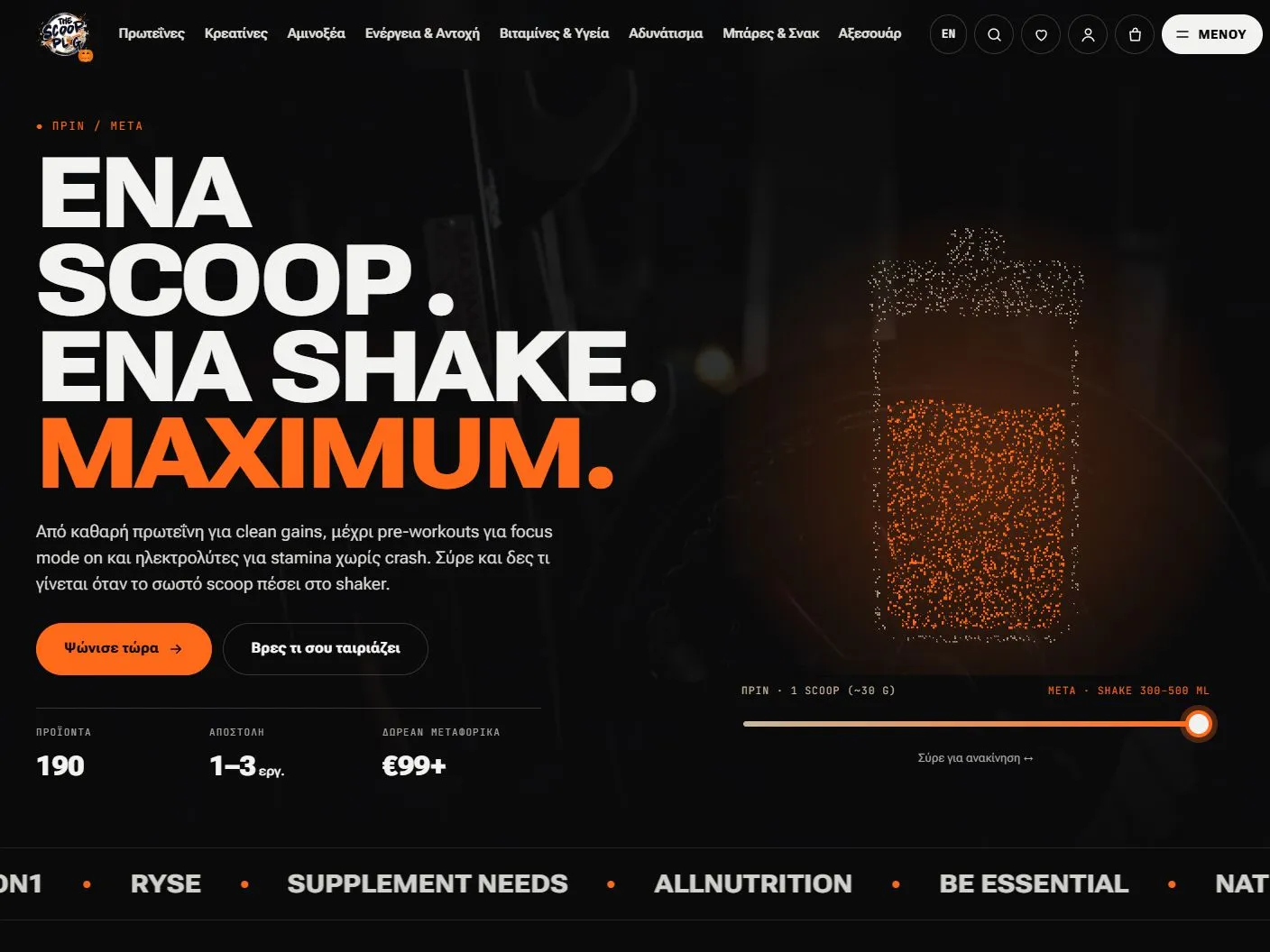
Meanwhile we built the new version. A refreshed visual identity, a new homepage and products presented around categories, brands and the visitor's goals, with product suggestions that help people browse. The design adapts to mobile and desktop.


What the measurements showed
We measured the homepage of both versions with Google PageSpeed Insights on 22/10/2026, one minute apart. The figures are lab measurements (Lighthouse), not data from real visitors.
| Metric (homepage) | Interim solution | New online store |
|---|---|---|
| Mobile performance | 60/100 | 96/100 |
| Desktop performance | 71/100 | 99/100 |
| Mobile LCP | 8.0 s | 2.0 s |
| Desktop LCP | 1.6 s | 0.4 s |
| Mobile Total Blocking Time | 230 ms | 0 ms |
| Accessibility (mobile) | 84/100 | 100/100 |
| SEO (mobile) | 85/100 | 100/100 |
Mobile LCP dropped by 75%, from 8.0 to 2.0 seconds, and moved into the range Google considers good. The interim version's report also showed why: many render-blocking files, heavy JavaScript and a very large total page weight (over 40 MB in the mobile test). The new online store was built so that it needs none of that to render.
Two clarifications, to be precise. The comparison is between the interim solution and the new online store, not the original site before any work. And the measurements show speed and technical quality; on their own they don't prove higher sales.
"The final version captures the character of The Scoop Plug and presents our products in a much more organised way. I especially appreciate that throughout the process we had clear communication, support and someone who listened to our needs." — Alexandros Makropoulos, owner of The Scoop Plug
See the full The Scoop Plug case study with the PageSpeed reports for both versions.
How do you avoid losing SEO in an ecommerce website redesign?
In an online store redesign, the biggest loss is rarely the look. It is pages that change address without a redirect, and the Google rankings that go with them. Before launch:
- List every URL of the old store: products, categories, articles, pages.
- Keep as many URLs as you can unchanged. For those that change, set a 301 redirect to the matching new page, not all to the homepage, as Google's guide to moving a site with URL changes also recommends.
- Carry over titles, descriptions and structured data from the pages that already bring in visits.
- Submit a new sitemap in Google Search Console on launch day.
- Monitor for 4–6 weeks for 404 errors and queries that are losing positions.
You will find the detailed steps in our guide to redesigning a website without starting SEO from scratch.
What should you measure before and after the new online store?
Ecommerce website speed shows from day one; sales and SEO take a few weeks. Measure:
- PageSpeed Insights for mobile and desktop, on the same page and the same day.
- Core Web Vitals from real users in Search Console, once enough data has built up (usually after a few weeks).
- Sales and conversion rate in your analytics, for the same period before and after.
- Organic traffic in Search Console, to spot pages that lost rankings early.
If you want to see how speed affects a store in practice, read what we learned from 33 ecommerce speed pilot tests.
Checklist before you hit "launch"
- Every old URL returns 200 or 301-redirects to the correct new page.
- A test order with every payment and shipping method.
- The new homepage and categories pass PageSpeed on mobile.
- Analytics, pixels and conversion tracking work on the new site.
- The new sitemap is ready and robots.txt doesn't block anything important.
- There is a backup of the old store, just in case.
Want to renew your own online store?
For every ecommerce website redesign we start by measuring your current store and tell you honestly whether you need an improvement or a new online store. See how we work on ecommerce website development or book a free 30-minute call.
Frequently asked questions
How long does an ecommerce website redesign take?
It depends on the size of the catalogue and the integrations. In our projects, building a new online store usually takes 3 to 5 weeks. With the two-phase method, the store keeps selling the whole time.
Will I lose Google rankings if I change my online store?
Not if you keep the URLs you can and set correct 301 redirects for those that change, before launch. Losses usually come from pages that changed address without a redirect, or from redirecting every page to the homepage.
What is the two-phase method in an ecommerce redesign?
It is a transition in two steps: first a quick interim upgrade of the existing store so it keeps selling, and in parallel the build of the new online store, which replaces the interim solution when it is ready.
Is a redesign worth it, or is speed optimisation enough?
If the only problem is speed, optimisation is often enough. If it is also the structure, mobile navigation or the brand image, improvements quickly hit the ceiling of the old platform and a redesign becomes the better investment.
How do I know if the redesign worked?
Compare the same metrics before and after: speed in PageSpeed Insights, Core Web Vitals from real users in Search Console, organic traffic and conversion rate. Speed shows from day one; sales and SEO take a few weeks.
Source: web.dev
Want a website that brings customers? Book a free 30′ call for a first assessment.

Athanasios Charatsaris is the founder of Wechevo. He designs and builds websites and e-shops for Greek businesses and leads the strategy that helps them appear on Google and in AI answers (SEO & AEO), as well as Google…
More about the author →


