
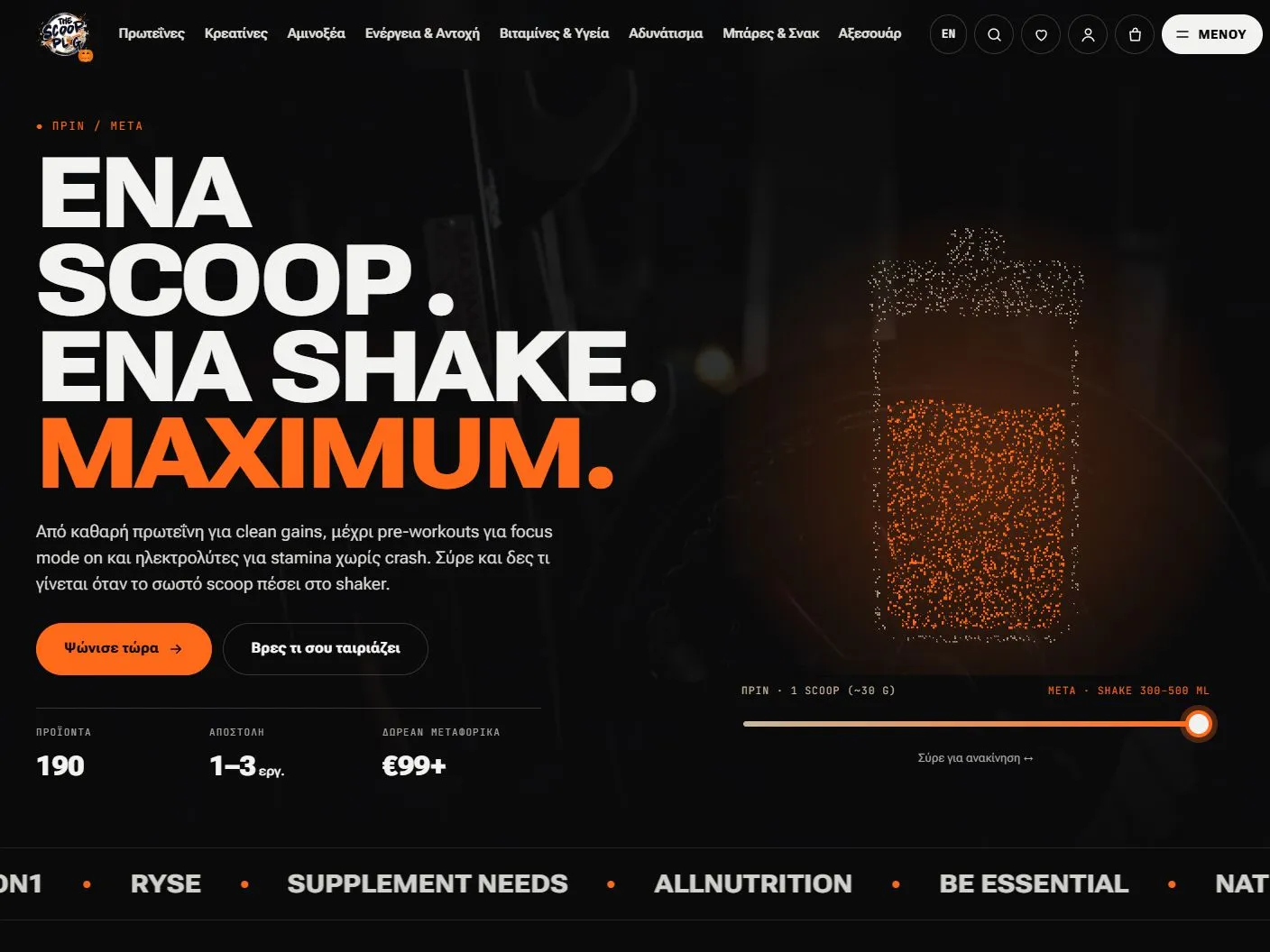
An eshop redesign can be done safely in two phases: first a quick interim upgrade so the store keeps selling, then the new eshop with a new structure, the same URLs or correct 301 redirects, and speed measured before and after. At The Scoop Plug, mobile performance went from 60 to 96.
- Slow on mobile. Google considers Largest Contentful Paint (LCP), the time until the main content appears, good when it is up to 2.5 seconds. If your store is well above that, visitors leave before they see a product.
- Hard to navigate on mobile. Small buttons, menus that don't make sense, categories where customers don't know where to look.
- The products don't "sell" themselves. Visitors can't search by what they want (category, brand, goal) and find it hard to compare products.
- The look no longer fits the brand. The store has grown, its image has fallen behind.
- Every change is difficult. Every new feature breaks something else or costs disproportionately.
An eshop redesign (or online store redesign) means renewing the look, structure and technical foundation of an online store that is already up and running. The risk is that sales stop or Google rankings are lost during the switch. The safest route is two phases: first an interim upgrade, then the new eshop.
That is how we worked with The Scoop Plug, a Greek sports nutrition and supplements e-shop. Below you will find when a redesign is worth it, how to plan the transition and what we measured before and after.
When does an eshop need a redesign?
Not every old store needs a new design. An eshop redesign is worth it when the problems are structural, not a setting you can fix in a day. The most common signs:
- Slow on mobile. Google considers Largest Contentful Paint (LCP) good, meaning the time until the main content appears, when it is up to 2.5 seconds. If your store is well above that, visitors leave before they see a product.
- Hard to navigate on mobile. Small buttons, menus that don't make sense, categories where customers don't know where to look.
- The products don't "sell" themselves. Visitors can't search by what they want (category, brand, goal) and find it hard to compare products.
- The look no longer fits the brand. The store has grown, its image has fallen behind.
- Every change is difficult. Every new feature breaks something else or costs disproportionately.
If two or more of these apply, small fixes are probably not enough.
Improve the existing store or build a new eshop?
Improving the existing eshop is faster and low-risk, but it has a limit: you are working on the same structure and the same code. A full eshop redesign, i.e. a new eshop, solves the structural problems, but it takes time, and in the meantime the store has to keep selling.
| Improve the existing store | New eshop | |
|---|---|---|
| Time | Days to a few weeks | Weeks |
| Transition risk | Low | Needs a URL and SEO plan |
| What changes | Speed, look, individual elements | Structure, experience, technical foundation |
| Limit | The ceiling of the old platform | Practically none |
The two-phase method combines both: you get the improvement right away and build the new store without pressure.
How does the two-phase method work?
- Phase 1 — interim upgrade. Fix what hurts today (speed, mobile appearance, critical points of the checkout) so the store keeps selling.
- Phase 2 — building the new eshop in parallel. New category structure, new homepage, new experience. It is developed in a separate environment, not on the live store.
- Transition with an SEO plan. Product and category URLs are kept the same or get a 301 redirect to their new location before launch.
- Measure before and after. On the same day, with the same tool, so the comparison is fair.
The Scoop Plug example
Phase 1: the interim solution (July 2026)
The Scoop Plug's original site no longer met the needs of the business: it loaded slowly and the mobile experience needed substantial improvement. But a new eshop takes time. So we started with an interim upgrade: a new look, better mobile layouts and speed improvements. It was completed in July 2026 and allowed the store to keep running normally.
Phase 2: the new eshop (launched 22/10/2026)
In the meantime we built the new version. A refreshed visual identity, a new homepage and products presented around categories, brands and the visitor's goals, with product recommendations that help browsing. The design adapts to mobile and desktop.


What the measurements showed
We measured the homepage of both versions with Google PageSpeed Insights on 22/10/2026, one minute apart. The values are lab measurements (Lighthouse), not real-visitor data.
| Metric (homepage) | Interim solution | New eshop |
|---|---|---|
| Mobile performance | 60/100 | 96/100 |
| Desktop performance | 71/100 | 99/100 |
| Mobile LCP | 8.0 s | 2.0 s |
| Desktop LCP | 1.6 s | 0.4 s |
| Mobile Total Blocking Time | 230 ms | 0 ms |
| Accessibility (mobile) | 84/100 | 100/100 |
| SEO (mobile) | 85/100 | 100/100 |
Mobile LCP dropped by 75%, from 8.0 to 2.0 seconds, and came within the range Google considers good. The interim solution's report also showed why: many render-blocking files, heavy JavaScript and a very large total page weight (over 40 MB in the mobile test). The new eshop was built so it doesn't need any of that to render.
Two clarifications, to be precise. The comparison is between the interim solution and the new eshop, not the original site before any intervention. And the measurements show speed and technical quality; on their own they don't prove an increase in sales.
"The final version captures the character of The Scoop Plug and presents our products in a much more organised way. I particularly appreciate that throughout the process we had clear communication, support and someone who listened to our needs." — Alexandros Makropoulos, owner of The Scoop Plug
See the full The Scoop Plug case study with the PageSpeed reports for both versions.
How do you avoid losing SEO in an eshop redesign?
In an eshop redesign, the biggest loss is rarely the look. It is the pages that change address without a redirect, and the Google rankings lost along with them. Before launch:
- List every URL of the old store: products, categories, articles, pages.
- Keep as many URLs the same as you can. For those that change, set a 301 redirect to the matching new page, not a bulk redirect to the homepage, as Google's guide to URL changes also recommends.
- Carry over titles, descriptions and structured data for the pages that already bring in visits.
- Submit a new sitemap to Google Search Console on launch day.
- Monitor for 4–6 weeks the pages returning 404 errors and the queries that lost rankings.
You will find detailed steps in our guide to a new site without starting your SEO from scratch.
What should you measure before and after the new eshop?
Eshop speed shows from day one; sales and SEO take a few weeks. Measure:
- PageSpeed Insights for mobile and desktop, on the same page and the same day.
- Core Web Vitals from real users in Search Console, once enough data has been collected (usually after a few weeks).
- Sales and conversion rate in your analytics, for the same period before and after.
- Organic traffic in Search Console, to spot pages that lost rankings early.
If you want to see how speed affects a store in practice, see what we learned from 33 eshop speed pilot tests.
Checklist before you hit "launch"
- All old URLs return 200 or 301 to the correct new page.
- Test order with every payment and shipping method.
- The new homepage and categories pass PageSpeed on mobile.
- Analytics, pixels and conversion tracking work on the new site.
- The new sitemap is ready and robots.txt doesn't block anything important.
- There is a backup of the old store, just in case.
Want to refresh your own eshop?
For every eshop refresh we start by measuring your current store and tell you honestly whether you need an improvement or a new eshop. See how we work on e-shop development or book a free 30-minute call.
Frequently asked questions
How long does an eshop redesign take?
It depends on the size of the catalogue and the integrations. In our projects, building a new eshop usually takes 3 to 5 weeks. With the two-phase method, the store keeps selling throughout that time.
Will I lose Google rankings if I change my eshop?
No, if you keep the URLs you can the same and set up correct 301 redirects for those that change, before launch. Losses usually come from pages that changed address without a redirect, or from redirecting every page to the homepage.
What is the two-phase method in an eshop redesign?
It is a transition in two steps: first a quick interim upgrade of the existing store so it keeps selling, and in parallel the development of the new eshop, which replaces the interim solution once it is ready.
Is a redesign worth it, or is a speed boost enough?
If the only problem is speed, optimisation is often enough. If it is also the structure, mobile navigation or the brand image, improvements quickly hit the ceiling of the old platform and a redesign turns out to be more cost-effective.
How do I know if the redesign worked?
Compare the same metrics before and after: speed in PageSpeed Insights, Core Web Vitals from real users in Search Console, organic traffic and conversion rate. Speed shows from day one; sales and SEO take a few weeks.
Source: web.dev
Want a website that brings customers? Book a free 30′ call for a first assessment.

Athanasios Charatsaris is the founder of Wechevo. He designs and builds websites and e-shops for Greek businesses and leads the strategy that helps them appear on Google and in AI answers (SEO & AEO), as well as Google…
More about the author →


